Switch Kit › Adobe alternatives › Switching to FilmCraft
Switch Kit guide 06 · 15-page PDF
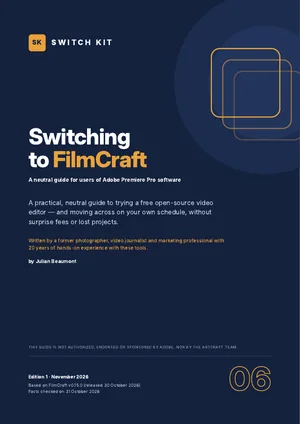
A free alternative to Premiere Pro: switching to FilmCraft
FilmCraft is a free, open-source video editor from the ArtCraft team, designed to feel familiar to people who use Adobe Premiere Pro software. This page sums up what you should know before switching; the guide takes you through a safe test with your own files.
Short answer
FilmCraft is a free, open-source video editor with three-point editing, multicam, colour tools with scopes, titles, captions and audio mixing. It cannot open .prproj projects; you move edits through XML, AAF or EDL. Export is CPU-based and still limited (version 0.15, alpha).
Premiere Pro vs FilmCraft at a glance
| Premiere Pro | FilmCraft | |
|---|---|---|
| Price | US$22.99/month for the single app on an annual plan (US list price) | Free |
| Platforms | Windows, macOS | Windows, macOS, Linux |
| Projects | Native .prproj | No .prproj; FCP XML, FCPXML, AAF, EDL, OTIO |
| Export | GPU-accelerated, many codecs | H.264 in software; others depend on hardware |
| Plug-ins | VST3, AU, OpenFX and more | Not yet |
| Maturity | Industry standard | Alpha (v0.15), about 56% ready by its developers' estimate |
Prices are US or Spanish list prices checked on 31 October 2026 and vary by country. Maturity figures for ArtCraft apps are the developers' own estimates.
What to know before you switch
- Three-point editing, trims, multicam, keyframes, colour panel with scopes, captions, loudness tools.
- Interchange via FCP7 XML, FCPXML, AAF, EDL and OTIO; no .prproj import.
- Exports H.264 in software; no VST3/AU or OpenFX plug-ins yet.
- Autosave and crash recovery included.
- Developer self-assessment, October 2026: about 56% ready.
Facts checked on 31 October 2026. Prices and versions change; check the official sites.
Is it right for you?
A good fit if…
- You edit YouTube, social or family videos.
- You use Premiere Pro occasionally.
- You can move projects via XML when needed.
Better to wait if…
- You depend on Premiere Pro plug-ins or .mogrt templates.
- You need GPU-accelerated delivery on deadlines.
How to switch from Premiere Pro to FilmCraft in five steps
- Check the fitRead what is ready and what is missing, and decide whether FilmCraft suits your work today.
- Install from the official sourceDownload FilmCraft only from the official site and verify the checksum. Keep Premiere Pro installed for now.
- Run a five-file testOpen five real files from your own work, edit and export them, and note what changes.
- Use both for two weeksDo new, low-risk work in FilmCraft while keeping Premiere Pro for anything urgent.
- Time your subscriptionIf you decide to leave, cancel at the cheapest moment and download everything first.
The guide expands each step with checklists, a test sheet and a two-week plan.
Other free options worth knowing
This guide focuses on one alternative, but it is not the only one. These well-known options may suit you better depending on your work. See the full comparison of free Adobe alternatives.
DaVinci Resolve
Professional editor and colour tool with a capable free version.
Kdenlive
Free, open-source video editor for Windows, macOS and Linux.
Shotcut
Free, open-source, cross-platform video editor.
Inside the guide
The two tools at a glance · a self-assessment (good fit or better to wait) · what feels familiar and what is still in progress · a five-file compatibility test · plug-ins, AI and workflow notes · timing your exit from your subscription without surprise fees · protecting your work before you leave · safe installation · a gentle two-week migration plan · a printable checklist.
Printable A4 PDF in English · instant download · checklists you can tick · written by Julian Beaumont, 20 years of hands-on experience with creative and digital tools.
€7PDF, VAT included
Get the guide · €7Frequently asked questions
Is there a free alternative to Premiere Pro?
Yes, several. FilmCraft is a new open-source option with a familiar workflow; the guide shows what works today.
Can FilmCraft open Premiere Pro projects?
Not directly. Export an XML or AAF from Premiere Pro and import it into FilmCraft.
What can FilmCraft export?
H.264 in software today; other codecs depend on your hardware encoder.
Does FilmCraft work on Mac and Linux?
Yes. FilmCraft has builds for Windows, macOS and Linux, from getartcraft.com or the project's GitHub.
Is FilmCraft safe to download?
Download it only from the official sources. Each release ships with SHA-256 checksums so you can verify the file; look-alike download sites exist.
Can I keep Premiere Pro while I test FilmCraft?
Yes, and the guide recommends it. Both can be installed side by side, so you test with real files before changing anything.
Next steps
Leaving a Creative Cloud plan? Read how to cancel Adobe Creative Cloud without a surprise fee.
New to ArtCraft? Start with the free overview of all thirteen apps.