Switch Kit › Guides › The ArtCraft suite: a free overview
Switch Kit guide 01 · 14-page PDF
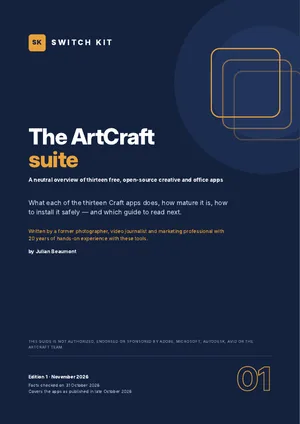
ArtCraft explained: thirteen free apps, in plain words
ArtCraft is a family of free, open-source desktop apps modelled on well-known creative and office software: PhotoCraft for images, WordCraft for documents, FilmCraft for video and ten more. This free guide gives you the full picture in one sitting.
Short answer
ArtCraft is a free, open-source suite of 13 desktop apps covering photo, vector, video, layout, PDF, office, CAD and audio work. The apps are still in early development (below version 1.0), so they suit testing and lighter work today rather than critical professional projects.
What to know before you switch
- Thirteen apps, including PhotoCraft, VectorCraft, FilmCraft, LightCraft, WordCraft, GridCraft and DeckCraft.
- Free and open source under MIT or Apache-2.0; no account and no telemetry in the launcher.
- Windows, macOS and Linux builds; every release ships with SHA-256 checksums.
- Optional paid AI image and video credits (ArtCraft Studio) are separate from the free apps.
- Unofficial look-alike download sites exist: use getartcraft.com or the project's GitHub only.
Facts checked on 31 October 2026. Prices and versions change; check the official sites.
Is it right for you?
A good fit if…
- You want to know what ArtCraft is before trying it.
- You pay for software you use only occasionally.
- You like testing new tools at your own pace.
Better to wait if…
- You need production-ready software today for client work.
- You need full native file compatibility with commercial apps.
Inside the guide
The thirteen apps at a glance · what they have in common · who they suit today · safe installation and look-alike sites to avoid · costs in context · open questions worth knowing · a first-hour checklist.
Printable A4 PDF in English · instant download · checklists you can tick · written by Julian Beaumont, 20 years of hands-on experience with creative and digital tools.
FreePDF, no payment needed
Download the free guideFrequently asked questions
Is ArtCraft really free?
Yes. The apps are free and open source. The only paid part is optional AI credits for image and video generation.
Is ArtCraft safe to download?
The official sources are getartcraft.com and the project's GitHub. Each release includes SHA-256 checksums, and the guide shows how to check them.
Is ArtCraft ready to replace commercial software?
For many lighter tasks, yes. For demanding professional work, the developers' own maturity scores suggest waiting or testing carefully first.
Who makes ArtCraft?
An open-source project on GitHub led by Brandon Thomas, built partly with AI coding tools and funded by optional paid AI credits.
Which ArtCraft app should I try first?
Start with the app that replaces the software you pay for most; the overview shows each app's maturity side by side.