Switch Kit › Adobe alternatives › Switching to PdfCraft
Switch Kit guide 10 · 15-page PDF
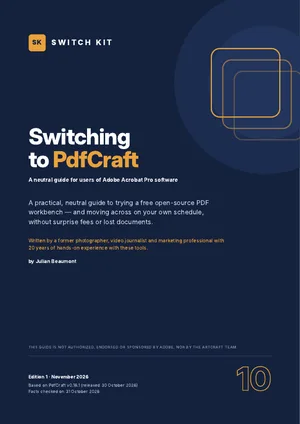
A free alternative to Acrobat: switching to PdfCraft
PdfCraft is a free, open-source PDF workbench from the ArtCraft team, designed to feel familiar to people who use Adobe Acrobat software. This page sums up what you should know before switching; the guide takes you through a safe test with your own files.
Short answer
PdfCraft is a free, open-source PDF workbench for viewing, organising, combining and splitting PDFs, filling and creating forms, passwords, redaction and basic digital signatures. Editing existing text reliably, wide OCR and creating PDFs from Office documents are not there yet (version 0.16, alpha).
Acrobat vs PdfCraft at a glance
| Acrobat | PdfCraft | |
|---|---|---|
| Price | From US$14.99/month (Acrobat Standard, annual plan, US) | Free |
| Platforms | Windows, macOS, mobile, web | Windows, macOS, Linux |
| Forms and signatures | Full | Fill and create forms; basic digital signatures |
| Edit existing text | Yes | Partial |
| OCR | Many languages | Unaccented Latin script only |
| Maturity | Industry standard | Alpha (v0.16), about 55% ready for mainstream use |
Prices are US or Spanish list prices checked on 31 October 2026 and vary by country. Maturity figures for ArtCraft apps are the developers' own estimates.
What to know before you switch
- Organise, combine and split; comments; fill and create forms.
- AES-256 passwords, redaction and basic digital signatures.
- Accessibility checker included.
- Not yet: reliable editing of existing text, OCR beyond unaccented Latin script, PDF from Office files.
- No plug-ins and no AI.
Facts checked on 31 October 2026. Prices and versions change; check the official sites.
Is it right for you?
A good fit if…
- You fill, sign, merge and annotate PDFs.
- You pay for Acrobat mainly for forms and redaction.
- You want a free desktop PDF tool.
Better to wait if…
- You edit text inside PDFs every day.
- You need OCR for many languages or print preflight.
How to switch from Acrobat to PdfCraft in five steps
- Check the fitRead what is ready and what is missing, and decide whether PdfCraft suits your work today.
- Install from the official sourceDownload PdfCraft only from the official site and verify the checksum. Keep Acrobat installed for now.
- Run a five-file testOpen five real files from your own work, edit and export them, and note what changes.
- Use both for two weeksDo new, low-risk work in PdfCraft while keeping Acrobat for anything urgent.
- Time your subscriptionIf you decide to leave, cancel at the cheapest moment and download everything first.
The guide expands each step with checklists, a test sheet and a two-week plan.
Other free options worth knowing
This guide focuses on one alternative, but it is not the only one. These well-known options may suit you better depending on your work. See the full comparison of free Adobe alternatives.
PDF24 Creator
Free PDF toolbox for Windows.
Okular
Free, open-source document viewer with annotations.
LibreOffice Draw
Free app that can open and edit simple PDFs.
Inside the guide
The two tools at a glance · a self-assessment (good fit or better to wait) · what feels familiar and what is still in progress · a five-file compatibility test · plug-ins, AI and workflow notes · timing your exit from your subscription without surprise fees · protecting your work before you leave · safe installation · a gentle two-week migration plan · a printable checklist.
Printable A4 PDF in English · instant download · checklists you can tick · written by Julian Beaumont, 20 years of hands-on experience with creative and digital tools.
€7PDF, VAT included
Get the guide · €7Frequently asked questions
What is the best free alternative to Acrobat?
It depends on your tasks. PdfCraft covers forms, redaction and organising for free; the guide maps your Acrobat tasks to it.
Can PdfCraft edit text in a PDF?
Only partly today. Reliable editing of existing text is on its list of missing features.
Can I sign PDFs with PdfCraft?
Yes, basic digital signatures are supported.
Does PdfCraft work on Mac and Linux?
Yes. PdfCraft has builds for Windows, macOS and Linux, from getartcraft.com or the project's GitHub.
Is PdfCraft safe to download?
Download it only from the official sources. Each release ships with SHA-256 checksums so you can verify the file; look-alike download sites exist.
Can I keep Acrobat while I test PdfCraft?
Yes, and the guide recommends it. Both can be installed side by side, so you test with real files before changing anything.
Next steps
Leaving a Creative Cloud plan? Read how to cancel Adobe Creative Cloud without a surprise fee.
New to ArtCraft? Start with the free overview of all thirteen apps.