Switch Kit › Guides › Your own photo cloud
Switch Kit guide 20 · 22-page PDF
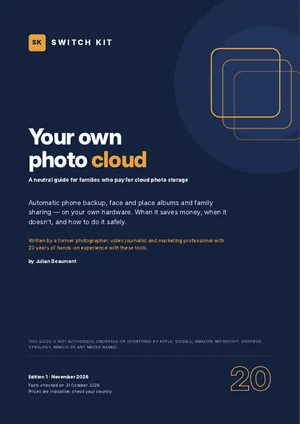
Your own photo cloud: a private alternative to Google Photos and iCloud
Free software now does at home what photo clouds do: automatic phone backup, face and place albums, family sharing. This guide shows when it is worth it, and when it isn't.
Short answer
Install a free photo app such as Immich on a small home server or NAS, connect your phones and keep an off-site backup (the 3-2-1 rule). For 2 TB or less, a home setup with a paid off-site copy usually costs more than a cloud plan over five years; it pays off with larger libraries or a free off-site copy.
What to know before you switch
- iCloud+ 2 TB costs US$9.99 or €9.99 a month (about US$600 over five years).
- Immich is free, open source and stable since version 2.0 (October 2025).
- A two-bay NAS costs about US$200–350 before disks; hard-disk prices rose sharply in 2026.
- Mirrored disks are not a backup: keep 3 copies, on 2 kinds of storage, 1 off-site.
- Google Takeout stores dates and places in separate .json files: use an importer that reads them.
Facts checked on 31 October 2026. Prices and versions change; check the official sites.
Is it right for you?
A good fit if…
- Your family stores several terabytes of photos.
- Privacy of family photos matters to you.
- Someone at home enjoys a little setup.
Better to wait if…
- You store 2 TB or less and want the cheapest option.
- Nobody wants to look after a device at home.
How to set up your own photo cloud in five steps
- Do the sumsMeasure your library and compare five-year costs honestly.
- Set up hardware and appA small NAS or PC with two mirrored disks and a photo app such as Immich.
- Export and importGoogle Takeout or iCloud originals, with an importer that keeps dates and places.
- Protect itOff-site copy, a restore test and safe remote access.
- Downgrade the cloud planOnly once home and off-site copies are verified.
The guide expands each step with checklists and a dated plan.
Inside the guide
What you pay today · a self-assessment · how it works · the apps compared (Immich, PhotoPrism, Nextcloud, Synology Photos, Ente) · the hardware · disks and space · backups and the 3-2-1 rule · getting your photos out of the cloud · setting up step by step · sharing with the family · safe remote access · an honest five-year cost comparison · middle paths · leaving your cloud plan · a one-month plan · a glossary · a printable checklist.
Printable A4 PDF in English · instant download · checklists you can tick · written by Julian Beaumont, 20 years of hands-on experience with creative and digital tools.
€9PDF, VAT included
Get the guide · €9Frequently asked questions
What is the best self-hosted alternative to Google Photos?
Immich is the closest in features: phone backup, faces, map, memories and sharing. Synology Photos is simpler if you buy a Synology NAS.
Is a home photo cloud cheaper than iCloud?
Not always. Below about 2 TB, a cloud plan is often cheaper over five years. It pays off with large libraries.
How do I export my photos from Google Photos?
Use Google Takeout, then an importer such as immich-go that reads the .json files holding dates and places.
What is the 3-2-1 backup rule?
Keep 3 copies of your photos, on 2 different kinds of storage, with 1 copy somewhere else.
Can I see my photos when I'm away from home?
Yes, safely, through a private network app such as Tailscale. Don't open router ports to your NAS.
Does Immich recognise faces?
Yes. Face recognition, places and object search run on your own hardware.