Switch Kit › Adobe alternatives › Switching to PhotoCraft
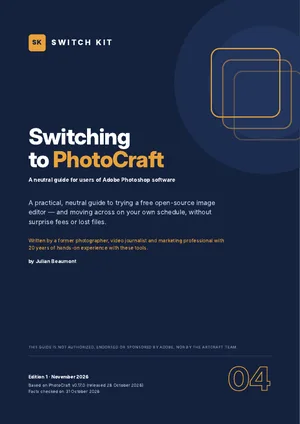
Switch Kit guide 04 · 16-page PDF
A free alternative to Photoshop: switching to PhotoCraft
PhotoCraft is a free, open-source image editor from the ArtCraft team, designed to feel familiar to people who use Adobe Photoshop software. This page sums up what you should know before switching; the guide takes you through a safe test with your own files.
Short answer
PhotoCraft is a free, open-source image editor with layers, masks, adjustment layers, retouching tools and optional AI-assisted selection. It suits photo retouching and everyday image work well. For heavy professional Photoshop workflows, plug-ins and perfect PSD exchange, test carefully first: it is still below version 1.0.
Photoshop vs PhotoCraft at a glance
| Photoshop | PhotoCraft | |
|---|---|---|
| Price | US$22.99/month for the single app on an annual plan (US list price) | Free |
| Platforms | Windows, macOS | Windows, macOS, Linux |
| PSD files | Native | Opens and saves PSD; complex files need testing |
| Plug-ins | Large third-party ecosystem | Own plug-in system; Photoshop plug-ins not supported |
| AI | Generative features with credits | Content-aware tools; optional local AI selection; generative tools limited |
| Maturity | Industry standard | Early alpha (v0.17, October 2026) |
Prices are US or Spanish list prices checked on 31 October 2026 and vary by country. Maturity figures for ArtCraft apps are the developers' own estimates.
What to know before you switch
- Free and open source; Windows, macOS and Linux.
- Layers, masks, adjustment layers, layer styles and editable text that survives a PSD round trip.
- Opens and saves PSD; smart objects are partly supported, so test complex files.
- Own plug-in system; third-party Photoshop plug-ins are not supported.
- Optional local AI models for subject and object selection (v0.17, 28 October 2026); generative fill is not built in.
Facts checked on 31 October 2026. Prices and versions change; check the official sites.
Is it right for you?
A good fit if…
- You retouch photos and create social graphics.
- You use Photoshop occasionally and pay for it monthly.
- You want AI-assisted edits without a subscription.
Better to wait if…
- You rely on Photoshop plug-ins or advanced smart objects.
- You exchange layered PSDs with clients every day.
How to switch from Photoshop to PhotoCraft in five steps
- Check the fitRead what is ready and what is missing, and decide whether PhotoCraft suits your work today.
- Install from the official sourceDownload PhotoCraft only from the official site and verify the checksum. Keep Photoshop installed for now.
- Run a five-file testOpen five real files from your own work, edit and export them, and note what changes.
- Use both for two weeksDo new, low-risk work in PhotoCraft while keeping Photoshop for anything urgent.
- Time your subscriptionIf you decide to leave, cancel at the cheapest moment and download everything first.
The guide expands each step with checklists, a test sheet and a two-week plan.
Other free options worth knowing
This guide focuses on one alternative, but it is not the only one. These well-known options may suit you better depending on your work. See the full comparison of free Adobe alternatives.
GIMP
Long-established free, open-source image editor for Windows, macOS and Linux.
Krita
Free, open-source painting and illustration app with strong brush tools.
Photopea
Free browser-based editor that opens PSD files; supported by ads.
Affinity
Free professional design app from Canva covering photo, vector and layout.
Inside the guide
The two tools at a glance · a self-assessment (good fit or better to wait) · what feels familiar and what is still in progress · a five-file compatibility test · plug-ins, AI and workflow notes · timing your exit from your subscription without surprise fees · protecting your work before you leave · safe installation · a gentle two-week migration plan · a printable checklist.
Printable A4 PDF in English · instant download · checklists you can tick · written by Julian Beaumont, 20 years of hands-on experience with creative and digital tools.
€7PDF, VAT included
Get the guide · €7Frequently asked questions
Is PhotoCraft a good Photoshop alternative?
For retouching and everyday image editing, it is a capable free option. For demanding professional work, test it with your own files first.
Can PhotoCraft open PSD files?
Yes, with limits on complex documents. The guide includes a five-file test to check your own files.
Is PhotoCraft free?
Yes, free and open source. Optional AI credits from ArtCraft Studio are paid.
Does PhotoCraft work on Mac and Linux?
Yes. PhotoCraft has builds for Windows, macOS and Linux, from getartcraft.com or the project's GitHub.
Is PhotoCraft safe to download?
Download it only from the official sources. Each release ships with SHA-256 checksums so you can verify the file; look-alike download sites exist.
Can I keep Photoshop while I test PhotoCraft?
Yes, and the guide recommends it. Both can be installed side by side, so you test with real files before changing anything.
Next steps
Leaving a Creative Cloud plan? Read how to cancel Adobe Creative Cloud without a surprise fee.
Want one mature free app for photo, vector and layout? See switching to Affinity.
New to ArtCraft? Start with the free overview of all thirteen apps.