Switch Kit › Office alternatives › Leaving an office-software subscription
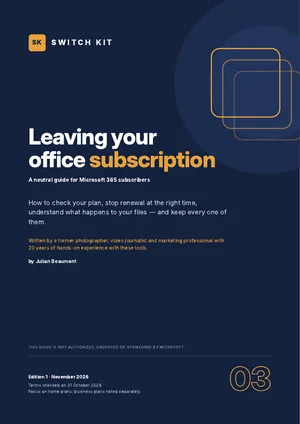
Switch Kit guide 03 · 13-page PDF
Cancelling Microsoft 365: what happens to your files, OneDrive and email
Nothing disappears on the day your Microsoft 365 subscription ends, but a timeline starts. This guide walks you through it so you keep every document, photo and email.
Short answer
Turn off recurring billing in your Microsoft account; you keep access until the paid period ends. After that, desktop apps become view-only, OneDrive returns to the free 5 GB and, if you are over quota, becomes read-only, then can be frozen and eventually deleted. Download what you need first.
What to know before you switch
- Turn off recurring billing at account.microsoft.com/services; access continues until expiry.
- Refunds are possible within 30 days of the first purchase or of the latest renewal (once per account per product); check the rules for your country.
- After expiry, Office desktop apps switch to reduced functionality (view and print).
- OneDrive returns to 5 GB free; over quota it becomes read-only, can be frozen after about 3 months and deleted after about 6.
- Office on the web stays free with a Microsoft account.
Facts checked on 31 October 2026. Prices and versions change; check the official sites.
Is it right for you?
A good fit if…
- You want to stop paying without losing files.
- You share a Family plan and need to plan for everyone.
- You want to compare free office options first.
Better to wait if…
- Your subscription is managed by work or school.
- You bought through an app store or retailer (their refund rules apply).
How to stop Microsoft 365 in five steps
- Check how you bought itMicrosoft directly, an app store or a retailer each have their own refund rules.
- Bring your files homeDownload OneDrive files and photos, especially if you use more than 5 GB.
- Plan for family membersEach member saves their own files before the plan ends.
- Turn off recurring billingAt account.microsoft.com/services; you keep access until the paid period ends.
- Set up what comes nextOffice on the web stays free; or install a free desktop alternative.
The guide expands each step with checklists and a dated plan.
Inside the guide
How to read your plan · what the refund rules say · stopping renewal step by step · what happens to apps, OneDrive and email after expiry · bringing your files home · business plans and special cases · options for what to use next · a printable exit checklist.
Printable A4 PDF in English · instant download · checklists you can tick · written by Julian Beaumont, 20 years of hands-on experience with creative and digital tools.
€9PDF, VAT included
Get the guide · €9Frequently asked questions
What happens to my files if I cancel Microsoft 365?
Your files stay yours. Office apps become view-only and OneDrive returns to 5 GB free. If you are over quota, download or move files before the account becomes read-only and later frozen.
Can I get a refund on Microsoft 365?
Often within 30 days of purchase or renewal. Prorated refunds depend on your country; the guide links to Microsoft's official refund page.
Will my Outlook.com email stop working?
The mailbox continues, but if you exceed the free storage you may be unable to send or receive until you free up space.
What happens to my Family plan members?
They lose the premium features and keep free Microsoft accounts. Each member should download or move their own files.
Can I still use Word and Excel for free?
Yes, in a browser with Microsoft's free web apps, or with a free desktop alternative.
What about Microsoft 365 Business plans?
Business plans have different rules: prorated refunds within 7 days of start or renewal, then only turning off recurring billing.