Home › Templates › AI Website Launch & Care Kit
Notion template · Wix · Squarespace · Framer · WordPress · any builder
Build your website with AI. Launch it properly. Keep it healthy.
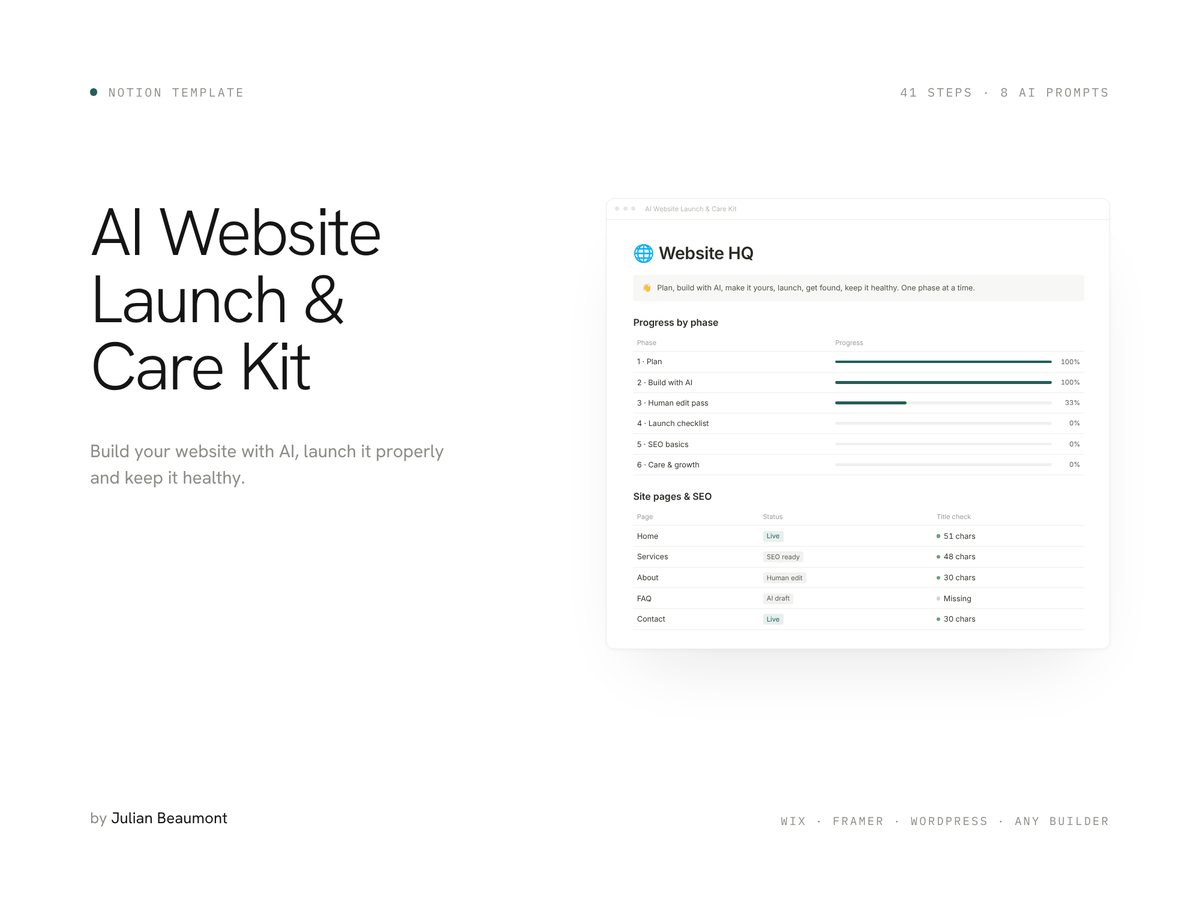
AI builders draft a site in minutes. This Notion kit covers everything around that draft: planning, a human edit pass, the launch checklist, SEO basics and a maintenance schedule that keeps itself up to date.
Who it's for
Made for you if…
- You are building a site for your business or project, with or without AI.
- You want it to sound like you, not like a generic AI draft.
- You want Google to understand your pages without hiring an agency.
- You want a simple routine to keep the site healthy after launch.
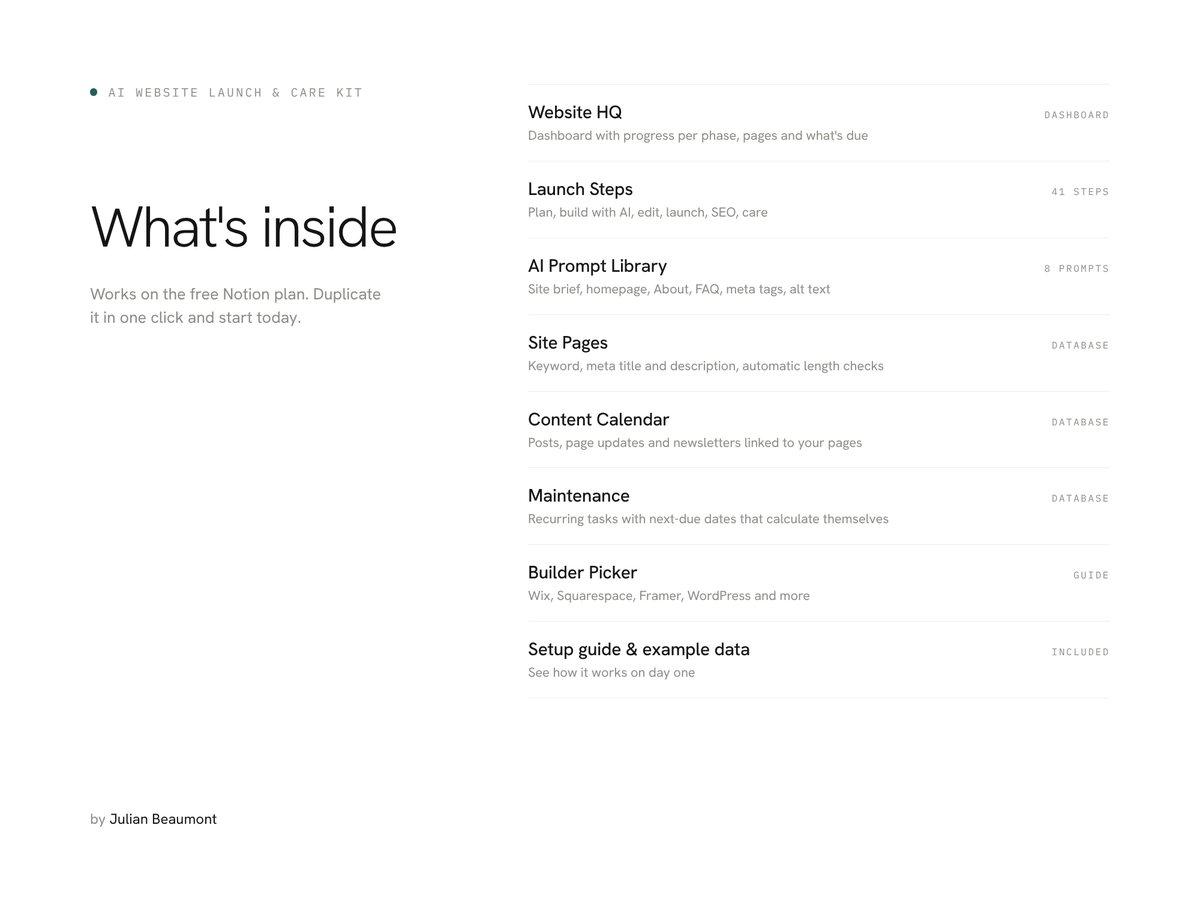
What's inside
Everything you need, in one Notion workspace.
Works on the free Notion plan, on desktop, tablet and phone.
- Website HQA dashboard with progress per phase, your pages and what's dueDashboard
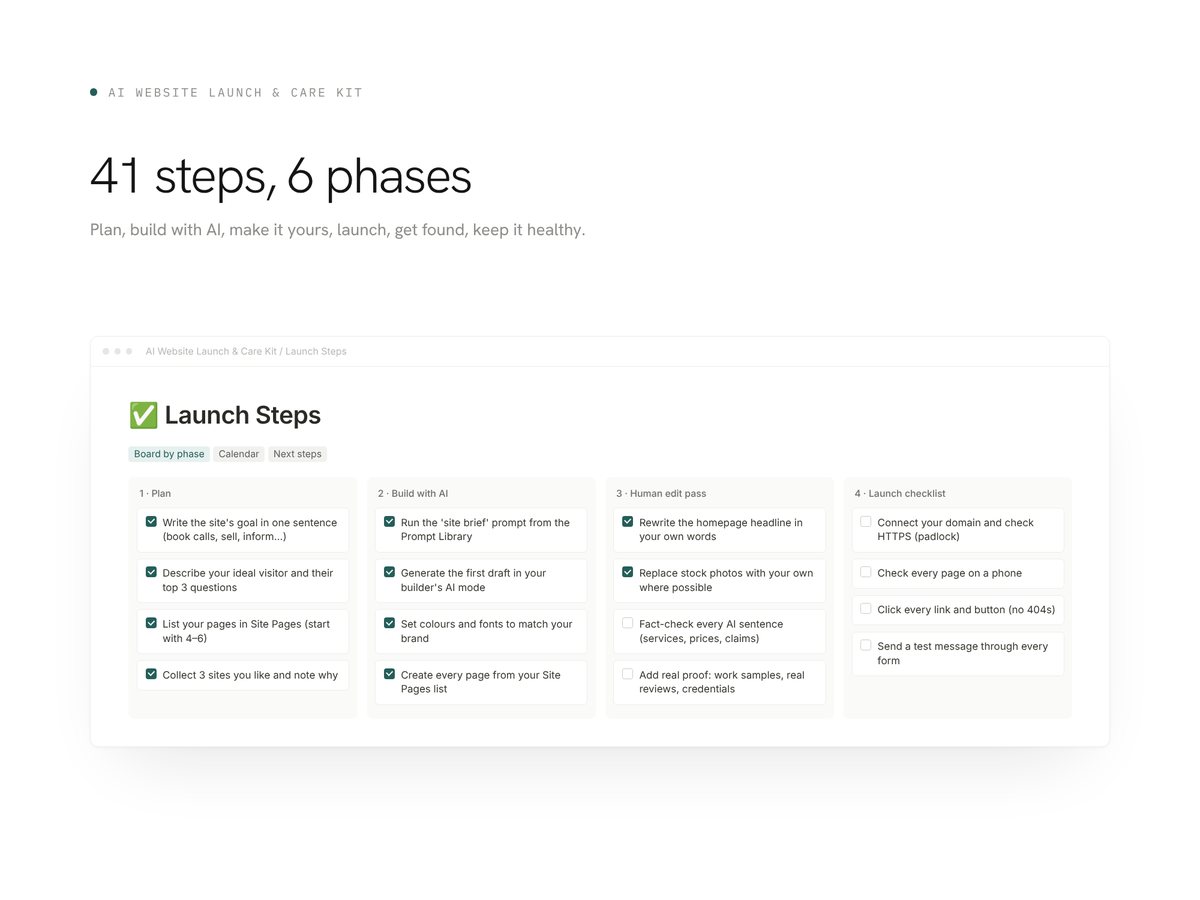
- Launch StepsPlan, build with AI, human edit pass, launch checklist, SEO basics, care and growth41 steps
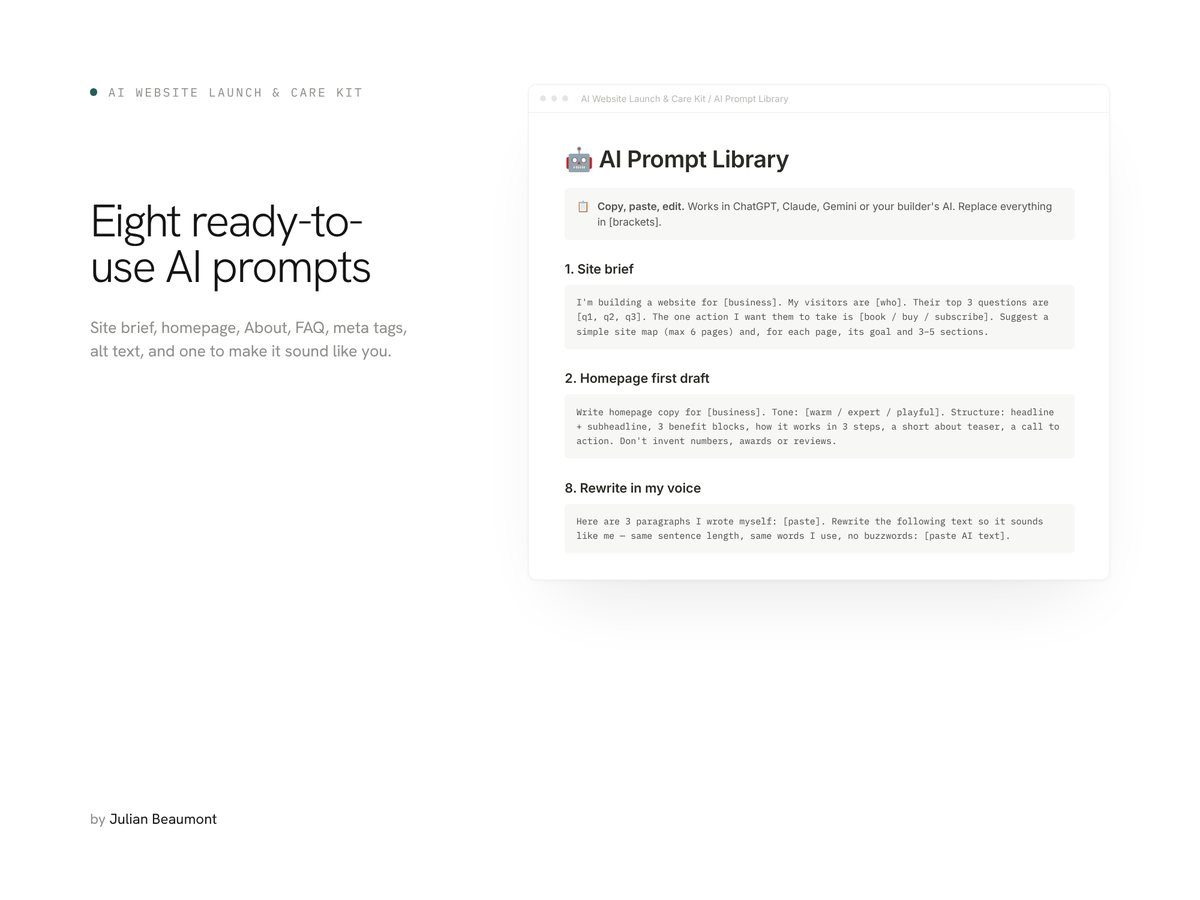
- AI Prompt LibrarySite brief, homepage, service page, About, FAQ, meta tags, alt text, rewrite in my voice8 prompts
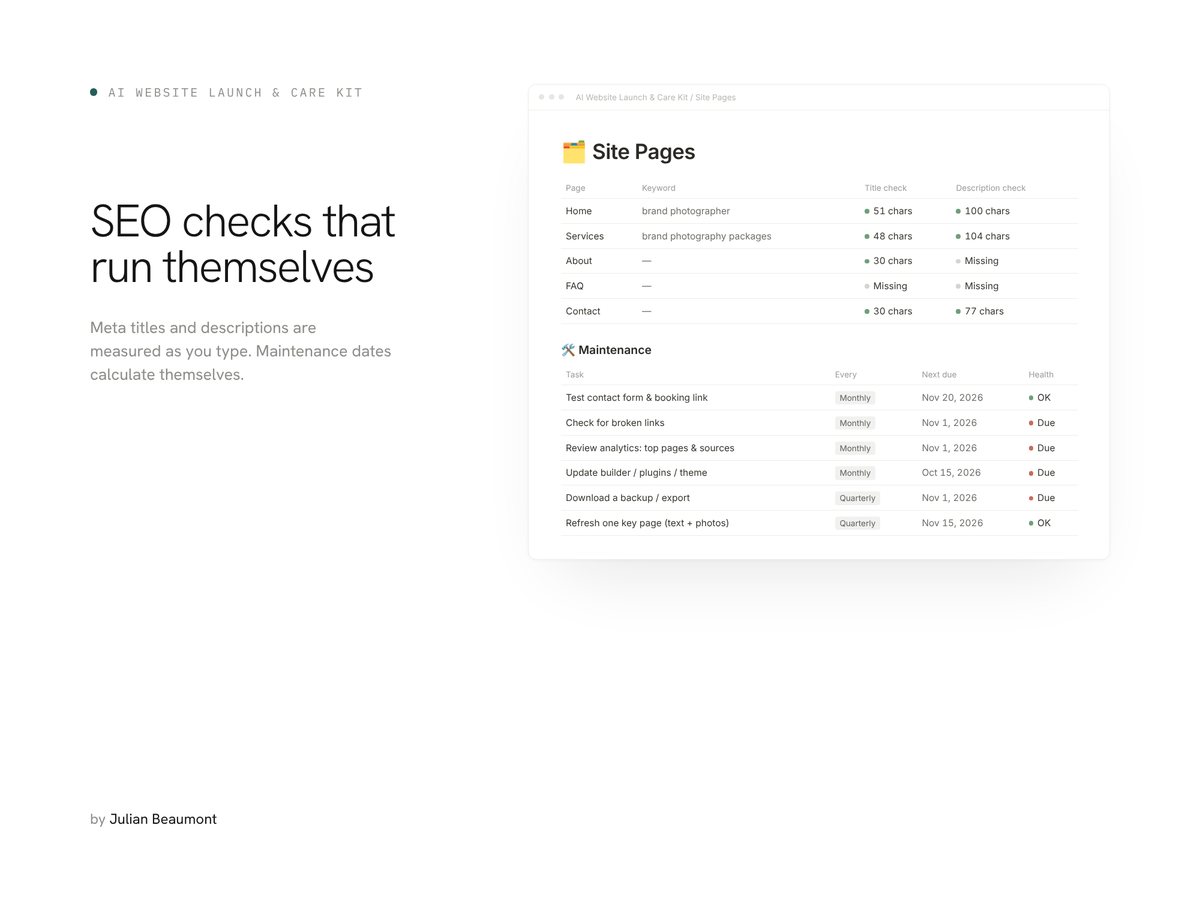
- Site PagesKeyword, meta title and description with automatic length checks and review datesDatabase
- Content CalendarPosts, page updates and newsletters linked to your pagesDatabase
- MaintenanceRecurring tasks with next-due dates that calculate themselvesDatabase
- Builder PickerWix, Squarespace, Framer, WordPress and host AI buildersGuide
- Example data and setup guideSee how everything works on day oneIncluded
A closer look
What it looks like.
How it works
Three steps to start.
- 01
Buy and download the PDF
It holds your Duplicate link and a quick start.
- 02
Duplicate the template
One click copies it into your own Notion workspace, free plan included.
- 03
Open the HQ and start phase 1
Tick steps as you go and watch the progress bars fill up.
Questions
Frequently asked.
Which website builder do I need?
Any. The steps are tool-agnostic, and the Builder Picker helps you choose.
Do I need ChatGPT or another AI tool?
The prompts work with any AI assistant, including the one built into your website builder.
I already have a website. Is it useful?
Yes. Skip to the human edit pass, launch checklist, SEO basics and maintenance phases.
Do I need a paid Notion account?
No. The template works on the free Notion plan.
How do I get it?
After purchase you download a PDF with a Duplicate link. One click copies the template into your Notion workspace.
Free guides
Read before you start.
- Website Launch Checklist for Small Businesses: Before, On and After Launch Day7 min read
- AI and ChatGPT Prompts for Website Copy That Sounds Like You6 min read
- Website Maintenance Checklist: Weekly, Monthly, Quarterly and Yearly Tasks5 min read
- Small Business SEO Checklist: The Basics, in the Right Order6 min read
More templates